Digital and Marketing

How to build a lead generation website

Bigfork – we’re the digital people
If the purpose of your website is to generate leads, then you’ll need to design your website to be a superstar lead generator.

Read on for some of the best, proven lead generation tactics you can use on your website.

Firstly, what is a website lead?

A lead from your website could be several things. Here are some examples.

  • A phone call
  • A form submission for an enquiry, appointment, or quote request.
  • An email
  • Data capture through newsletter signups and downloads

Start off by identifying all the different ways people can contact you from your website. Think about your typical customers and how they like to engage with your company. Some people just like to call, but don’t forget the ones who may want to contact you out of hours.

How are you going to track your website leads?

It’s essential you track how many leads your website is generating and it’s not difficult to do with a tool like Google Analytics.

In Google Analytics you can set up ‘conversions’. Each conversion would be a type of lead, such as an enquiry form submission. You can then measure how many leads you are generating, what the best lead generation channels are, and your websites conversion rate. Examples of lead generation channels are organic search, paid ads and social media.

What is a website conversion rate?

Your conversion rate is the percentage of your website visitors who convert into a lead. For example, if you have 5,000 website visitors and 60 of them convert into a lead then your conversion rate is (60 ÷ 5000) x 100 = 1.2%. 

What is a good website conversion rate?

This depends on your industry; how competitive it is and other factors such as your offer. Unbounce did a study of landing pages and found that a 12% conversion rate is deemed good. Generally, if your website conversion rate is below 1% then you have work to do.

Identify your best lead generation pages

Before you get started on improving your websites lead generation, use Google Analytics to see what pages are currently producing leads. These are typically your product pages, but check other pages like home or contact pages.

Find out which pages are your main landing pages. Landing pages are the first page that someone visits; either directly from typing in your website address, from search, or from a link on another website or social media. It’s normal for the most popular landing page to be your home page, however you might find that product / services pages and possibly your contact page also do well.

These are the pages you need to be optimising for lead generation.

How to generate more leads from your website.

Ok, let’s get started on how to improve your website to get those valuable leads in.

Design is not just what it looks like. Design is how it works.

– Steve Jobs

1. Provide a great user experience

If your customers struggle to find the content they want, you’ll lose them.

Your customer research will identify what content visitors want from your website, this needs to be the focus of your website content plan.

  • Design customer journeys for your website so visitors can quickly find the content they want. For example, make sure your products and services are the main focus on your home page and menu, as this is what your visitors want to find out about.
  • Add good navigation tools such as breadcrumb trails, links between internal pages, and easy-to-use menus.
  • Break up content with headings, bullet points, images, and videos to make your content easier for people to digest.

The key message is to keep it simple. People don’t like to learn new things so keep navigation and page layouts easy to use for good conversion rates.

User-friendly navigation is essential for lead generation.

2. Improve your website copy

Website copy is as important as design and often overlooked. Make sure your copy focuses on the key benefits of your product in a language that your customers will understand. Does your website copy appeal, persuade and convert? If not, then re-write it in a voice that fits your brand and speaks to your customers.

Top tips for writing powerful website copy:

  • Write for your audience. Use the right style, language and tone of voice that appeals to your customers.
  • Keep it simple. Don’t write too much text, don’t use complicated words or industry jargon.
  • Write for “scanners”. Most website visitors are searching for information and are scanning pages quickly. Headings, bullet points and images make it easier to read a page quickly.
  • Website copy needs to communicate real benefits. What is it that your customers really buy from you?
  • Search engine friendly. Include your main keywords in titles and website copy, but remember to write for people not search engines.

Find out more about how to write good copy for your website.

Customers buy holes, not drills

– Theodore Levitt

3. Design for your audience

If you want your website to be effective, design for your target audience. Your website isn’t meant to please the marketing directors brother-in-law or look good on the bosses wall, it’s there to convert your visitors into sales and leads.

Website design essentials include :

  • Branding in line with your company logo, colours, visual style, and tone of voice.
  • Using high quality images and video that presents your products, services and team in the best light.
  • Position your company correctly – if you have a premium product make sure your website looks premium, not like a discount brand.
  • Key messages and slogans throughout the design.

First impressions count and if your website has poor images and looks unprofessional its unlikely you will get many quality leads from your site.

4. Add effective calls to action

A call to action (often shortened to CTA) is what you want your website visitors to do.

Every website needs to have calls to action to guide people. To create good CTAs think about what you want your customers to do and, very importantly, what they want to do.

Remember that everyone is different, some people like to pick up the phone, others prefer a more cautious enquiry form. 

Website Calls To Action examples include:

  • Call us for a quote
  • Book an appointment
  • Sign up for free trial
  • Call me back
  • Download our brochure
  • Buy online now
  • Take a tour

Each CTA needs to stand out through size, colour and style – buttons are a great way to present them. They also need to be prominent to attract attention and increase conversions. Link your CTA’s to your Google Analytics to track their performance so you know what’s working and what isn’t.

5. Capture visitor data

Many of your website visitors may not convert on their first visit. Capturing their data is a good way to stay in touch so you can remind them of your services and products in future through email marketing or direct mail.

Unless your product is highly desirable, just asking for an email address is unlikely to persuade them to part with their precious data. Try tempting your visitors by offering them something for free such as money off vouchers, ebooks, or useful resources. 

You can also capture email addresses when people fill in a form on your website. If you do this, remember that under GDPR you must get consent for ongoing marketing by adding an “I agree to….” tick box, and an explanation of how you will use their data.

6. Establish credibility

A potential customer is always asking themselves “Why should I buy from this company?” when they land on your website. They will be looking for signs that you are a professional company who will deliver on service and solve any problems.

What makes a website credible?

  • A professional design
  • Customer testimonials
  • Lists of clients
  • Case studies
  • Trade associations and membership logos
  • Guarantees and warranties
  • Any relevant policies such as terms and conditions, delivery and returns, customer charters.
  • Address and telephone number of your business

7. Make sure your website works

If your website doesn’t is slow, has forms that don’t send, has broken links, or is in some way broken then you’re losing conversions.

What percentage of your website traffic is from mobile? Chances are, it’s very high. Use Google Analytics to find out and check your website on smartphones and tablets to see how the customer experience is.

Make sure your website is “responsive” i.e., mobile friendly. For many businesses such as restaurants, hotels, and estate agents, mobile traffic is becoming the biggest source of website visitors.

Does your website work in all the major browsers? Internet Explorer, Chrome and Firefox are the main browsers people use. Make sure you don’t lose sales because your website doesn’t work in a specific browser.

Is your website accessible? Accessibility has a huge crossover with user experience, and a good website is easy to use for everyone.

8. Add a telephone number

Make sure your telephone number is visible at the top of every page. If you have more than one number, show a “contact us” call to action instead, and link it to a page with your phone numbers. Many people still prefer calling, even in a digital age. Not showing a telephone number can reduce people’s trust in your company.

9. Keep forms short

All your forms need to be short and only capture essential information you need to follow up the lead. Remember, your aim is to get leads at this stage, not to ask for every possible piece of information, you can find that out later.

Shorter forms = higher conversion rate.

10. Add video

Video is a great lead generation tactic if used properly. Use video to answer people’s questions about your product. These may be videos explaining how your product works, testimonial videos from satisfied customers, or a video that shows the benefits of your service. Don’t bore people with long videos about the 500 year history of your company – keep them short and relevant.

11. Engage with live chat

Adding live chat to your website is a great way of talking to potential customers. Many people like using live chat to ask questions about your product while they do other things like work, cook, or hoover the dog. It’s not just a good lead generation tool it’s also great for existing customers who want more info or support from you.

Services such as Tawk.to are free and easy to implement. If you don’t have the resources to run live chat, then chatbots and managed chat services are also avaiable.

Don’t stop testing

Lead generation is a constantly evolving task. Your goal is to keep increasing leads, so test everything. Use tools such as Analytics and Heatmaps to how people are using your website. Try different calls to action, design and copy variations, button colours and wording, see if they make a difference. If you’re feeling fancy, you can run A/B tests to directly measure these variations.

Check out your competitors’ websites too, do they have any good lead generation tactics that you can learn from?

You can view this Bigfork original article here 

How to write good copy for your website

Bigfork – We’re the Digital People

Your website is constantly being judged.

It’s being judged in different ways by different people from visitors, browsers, shoppers, customers, not to mention Google and other search engines and even your competitors.

The one common goal they all look for, whether they know it or not, is high quality, helpful, engaging and valuable website copy.

With users spending an average of 5.59 seconds looking at a website’s written copy, the fact that good copy is often neglected or treated as an afterthought can be your biggest mistake.

Why write good, if not great copy for your website?

Let’s back track here, good isn’t quite GOOD enough, and here’s why you need to be writing GREAT copy for website.

Ask yourself, would you prefer to trust an elaborate site with low quality copy, or a simple site packed with engaging and informative copy that answers your questions and ticks your boxes?

We’re not saying ditch great website design, we love a beautifully designed website, but without engaging high quality website copy, the design can be wasted. Great copy and great design are a winning formula when it comes to user experience and the success of your website.

Your website is the ‘worlds’ shop window to your business and should also be your top salesperson. Even the best salesperson can’t sell with just an image, it needs to be backed up with words and in the case of your website, authentic and genuine copy.

This example from Gousto demonstrate this, with a sleek and simple design backed up with copy answering potential customer’s questions. Add to this mix, a reason why you should try Gousto plus a great offer to get you started, and they’ve ticked a lot boxes.

Gousto pic for great copy

Write great website copy

The benefits of good copy

Investing in great copy for your site has virtually endless benefits and quite literally affects every aspect of your online business. It can even inspire customers to visit your bricks and mortar store if you have one, in addition to increased ecommerce sales.

Taking your copy to the next level can:

  • Attract new visitors
  • Connect with existing customers
  • Respond to users’ questions
  • Get visitors to spend more time on your site
  • Increase website and brand trust
  • Generate online sales
  • Improve conversion rates
  • Raise brand awareness
  • Collect consumer feedback
  • Improve your SEO
  • Gain better search engine rankings
  • Establish your authority
  • Cultivate customer relationships

If you have a beautifully designed website or not, with poor content, users won’t stay. Creating great copy for your website will portray your business in a positive light and let you stand out from your competitors.

How to write great copy for your website

How exactly do you write great copy? It’s certainly not all about quantity, but more about quality and understanding your customers and knowing what they want.

The recipe for good web copy should include:

A consistent tone of voice

This ensures all your communications are on-brand, it’s ‘how’ it sounds when you say it. You should also use your customers language, give it personality, appropriate for your customers to connect and engage with them.

Harrys demonstrate they understand their customers’ problems when it comes to shaving and speak through their copy with a clear, straightforward tone of voice, which is consistent throughout their website.

Harrys-website-great copy

Show that you understand your customers problems

Writing for users’ intent

It’s essential when creating content to always keep the user in mind, throughout the entire customer journey. This starts with what keywords visitors will be searching for, to answering their questions and solving a problem. Getting the balance of using sufficient detail to educate users, while not boring them is fundamental.

Provide value to visitors

A customer can interact with your brand 20 times before they actually purchase anything. That can be through social media, website copy, marketing, reviews etc and each one leaves an impression.

Good copy should provide value to visitors, for example, people read blog posts to get information, help or answers. Using blog posts to address the pain areas or questions that your audience want to know is a great use of copy.

This example from Candymail shows how a blog post was written on the subject of a question that many customers were asking. Not only does the blog answer the question, but it also resulted in the No. 1 spot on Google for the search term “How hot are Flamin’ Hot Cheetos?”

Cheetos Website Copy

What questions are your customers asking online?

Using keywords for SEO

While the above example, demonstrates how good copy works for users and search engines, take a look at how Air BNB appears in a Google search. Their copy has all bases covered, from local holidays, UK places to stay and how to become a host.

Researching keywords for your content is essential before you begin crafting website copy. Making your copy work for you is paramount for both search engines to drive traffic to your website and users when they arrive on it.

Find out more about how to write SEO friendly articles.

You can view this Bigfork original article here  

Writing a website design brief is an essential first step towards creating your new site.

Bigfork – we’re the digital people

Here we look at what your brief should cover, what your agency needs to know and the crucial questions to answer before you start.

A website design brief is simply a document that sets out what you want from your website design project.

It deals with areas including what the site will cover, how it will work, how you’ll update it and how people will find it.

A website design brief helps to focus your thinking on what you really need from your web design, so you don’t waste time and resources later on.

Your brief also helps your web design agency understand what you want, resolve any questions and give you an accurate cost.

The better the brief, the smoother the project – and the better the end result.

Want to get started straight away?

Download your free website brief PDF template

Your aims

These days, every firm is expected to have a website of some sort. But beyond that, why do you need a new one? What aims do you want to achieve?

Specifically, do you want to increase sales and leads, target new customers or promote new products and services? Do you want to build your brand’s profile or offer people a better source of information?

Or is it more about polishing up the design, improving performance, smoothing the user experience or making the site easier to update?

Take an honest look at your existing website – or ask your customers, if you can. What do you like and dislike about it? What is working well, and what needs to change?

Business background

A website is a commercial tool – whether you’re using it to sell online, generate enquiries or just build your brand. So your agency needs to understand how your new website will fit with the rest of your business.

In your website design brief, sum up your company history, your products and customers, your markets, your strengths or weaknesses and your future plans.

What is your position within your marketplace? Are you a best-value option, a premium choice – or somewhere in between?

Do you have a marketing plan already? If so, let your agency know what part your new website will play in it.

writing

Competitors

Your website will be going toe-to-toe with your competitors – most obviously on Google’s search results page.

Therefore, your brief needs to include a review of competitors’ sites. Who are they? What are they doing well – and not so well? What opportunities does that open up for you?

Creative brief

As part of your website design brief, explain exactly what you like about other people’s sites – for example, the design, the functionality, the user journey. This helps your web design agency understand exactly what you’re looking for.

Visitors and traffic

Your brief should profile your existing and future customers. Who do you want to visit your website? How do people normally buy from you? Who are your ideal new customers, and what would they want from your site?

Then there’s the question of how visitors will find you. Will you aim for a first-page listing on Google, or direct traffic with pay-per-click (PPC) ads? What part will social media and email play? And what about offline channels like print advertising and events?

Structure and content

Now, think about what pages your website might need. Your agency will be able to help you here, but it’s good to have a basic idea.

For a smaller site, you can just list the pages. For larger sites, you might want to draw a ‘family tree’ style diagram (known as a ‘site map’), showing sections and links within the site.

Think about the content each page will feature. Remember, it doesn’t have to be just text – you can include images, video, documents, maps and more. Aim to give your users what is most helpful to them.

Detail in your brief what content you will be providing and what you need the web design agency to supply. If you need copy to be written then the agency knows they need to quote for this. 

Technical aspects

Do you already have hosting and a domain name? If not, you’ll need to set them up. Your agency can do this for you, or work with your existing provider if you have one.

For ecommerce sites, your agency will need to know what platform you prefer (if any), what products you want to offer, what functions you want and the arrangements for payment and shipping.

Your new website will probably need a Content Management System (CMS) so that you will be able to manage most of your website content inhouse. If you have a preferred CMS then add it to your brief, however it may be better to ask what CMS the agency would recommend and why.

A site is a long-term commitment, not a one-off project – so what maintenance and support will you need? This could include updating content and features, security tweaks or just general help and advice. Ask your agency what they can offer.

Budget

How much do you want to spend? This is a bit like saying ‘How long is a piece of string?’ But your agency needs to have some idea of your budget, so they can tailor their proposal.

With websites, you get what you pay for. Think of your site as an asset that you’re investing in, not just a cost. It will be a central part of your sales and marketing effort for many years to come.

Timescale

If you have a timescale, let your agency know up front. A large site can take several months to develop, particularly for a smaller team – so don’t expect them to work miracles.

Download your free website brief PDF template

This sample document is the ideal website brief document that asks all the right questions for you to complete and send out to your list of web design agencies.

Ready to turn your website design brief into reality?

We can translate your website design brief into a beautifully designed, fully functioning website. And if you don’t yet have a brief, we can help you develop one. Find out moreabout our approach to website design, or get in touch.

You can view this Bigfork original article here  

Instagram allows posting from a desktop but Facebook’s Meta steals its thunder

24 Fingers

You know the saying “always the bridesmaid, never the bride”? We wonder if Instagram feels a little like that at the moment. Just when it was enjoying a moment in the social media sun with the announcement of a slew of new features, including the ability to post from the desktop (HURRAH and we’ll get to that in a bit), along comes parent company Facebook to elbow it back into the shade. 

Congratulations – it’s a Meta! If you’ve no idea what we’re talking about, pull up a chair: Facebook ain’t Facebook any more – it’s rebranded to Meta, complete with a wibbly wobbly new logo that has no end and no beginning. 

But don’t panic, the social media platform itself is still going to be called Facebook, but new corporate moniker Meta will be the stepping stone into a wider digital ecosphere. As Mark Zuckerberg explained in a founder’s letter: “The next platform will be even more immersive – an embodied internet where you’re in the experience, not just looking at it. 

“You’ll be able to do almost anything you can imagine – get together with friends and family, work, learn, play, shop, create – as well as completely new experiences that don’t really fit how we think about computers or phones today.”

According to Zuckerberg, we’re all going to be zooming about as holograms, from working in the office and ripping it up at a concert, to catching up with friends and family. “This will open up more opportunity no matter where you live,” he wrote. “You’ll be able to spend more time on what matters to you, cut down time in traffic, and reduce your carbon footprint.”

While we’ll have to wait and see what all of that really means for us ordinary mortals, let’s get back to Instagram. For years, many people have grumbled about only being able to access their Instagram feed but not post anything, and now the boffins have finally done something about it. 

The new capability is one of several goodies unveiled by the platform that have been created to boost creativity (and, no doubt give TikTok a run for its money). For example, Instagram has made it easier to co-author posts and Reels with other users under the Collab feature. 

There are also changes to the fundraiser prompts so you can launch one directly through Instagram and make it easier for people to donate. 

And there’s more. Reels is going to get some music features, such as Superbeat, which adds video effects based on a song beat, while 3D lyrics brings up the words in tune with the melody.

If you need a helping hand getting to grips with Instagram’s new features, get in touch and we’ll get you posting like a pro. 

We’re 24 fingers, a digital marketing agency and a proud member of the 42 Club, Brentwood Chamber of Commerce, Excel Business Networking Group, the Trusted Business Community, the Organisation for Responsible Businesses and the Rotary Club of Brentwood à Becket. We help companies who are all fingers and thumbs with their social media grow their business and brand. Book your free strategy call here.

Digital transformation isn’t (or shouldn’t be) just for “big business”, and here’s why.

James Adams, Managing Director, Akcela

It seems whenever we hear the term digital transformation, whether known to us or not, our minds will wonder to bleeding edge technologies, teetering on the edge of the latest Gartner Hype Cycle. The truth is for some businesses, and many people, they don’t actually know what a Hype Cycle is, or why it’s relevant for their business. Mostly, in fact, it isn’t. There is, however, a reason that simple digital transformation projects get lumbered into this category and leave many continuing with business-as-usual processes.

The rationale of digital transformation aversion.

There are many a thing that can leave business owners and leaders operating in a place they don’t feel comfortable. The two that generally have people concerned, out of their comfort zone and reaching for support are Law and Accountancy. When you think about it for a while, it isn’t hard to understand why. As a much younger man, I studied Law at A-Level, but even at that simplistic level, terms such as Actus Reus, Mens Rea and causation are common place in the classroom, but absolutely useless in any context apart from the one they were intended. There is a knowledge gap with law that the simple common-sense approach just doesn’t cover, nor prepare you for.

Further to this, like it’s contextual sibling in this ramble, Law and Accountancy have a much larger and ominous threat to business leaders and their owners. That of risk. Get your legal documents bent out of shape and the ramifications can be catastrophic. The same is true of accountancy, where application of any creativity can lead you not to an award for innovation, but to a stint at Her Majesty’s pleasure.

With digital transformation projects and delays associated with them racking up headline numbers such as £173m for digital border transformation delays, or £100m bill to the television licensee payee for the BBC’s failed DMI project, there’s an associated risk of implementation with any digital transformation project. Not to mention those projects that gain funding and implementation leaving you questioning if they ever had a benefits realisation meeting, and oh to be a fly on the wall in one. Whilst we live in a world of digital technologies creating umbrella drones. Perhaps benefits realisation isn’t always the motivating driver. Really, this is the absolute crux of the matter.

What does digital transformation really mean?

Digital transformation doesn’t have to be large scale. Doesn’t have to be bleeding edge and doesn’t have to include budgets that would make McDonalds’ land bank manager blush.

In fact, digital transformation is more tangible, costs less and delivers higher value returns now, more than ever. Yet despite potentially tremendous benefits, small and medium-sized enterprises (SMEs) lag in the digital transformation.

When considering what digital transformation is, every business leader and owner can relate to e-commerce or the social media, frankly, because the likes of Amazon or Facebook (yes, it’s still called that, it’s just the holding company that’s now Meta ????) are ubiquitous in our daily lives.

E-commerce has been an incredible benefit to drive top line revenue into businesses, accelerated by COVID-19, and we should continue to press the adoption of online retailing within our SME community. I have the same opinion for social media uptake, which can offer truly incredible insights into customers through data aggregation. However, as with all opportunities, we must focus on the deliverables of said project. Or to my earlier point, we would be walking around with drone umbrellas, potentially when it isn’t raining.

Digital transformation has a much wider net that can be cast and for many businesses just as big, if not bigger, fish to catch.

Enterprise Resource Planning, or ERP systems integrate the fundamentals of business processes into a holistic operating system. An ERP will typically consist of accounting, procurement, project management, risk management and compliance, and supply chain operations. Having such a large volume and veracity of data through every facet of their business allows leaders to make well informed decisions due to the integrated nature and usually, when implemented correctly, outcome of real time data. Business processes are usually streamlined prior to integration, resulting in back-office efficiencies of moving to a digital platform. Of the many digital transformation opportunities discussed, ERP implementation is one of, if not, the largest opportunity as well as potential failure point.

Client Relationship Management (CRM) and Supply-Chain Management (SCM) can digitally enhance two major touch points within a company. Whilst many providers may integrate CRM and SCM solutions into one package, these functions can also be implemented independently to great effect. Here transparency of interaction, time-based interaction management, automation and business intelligence can optimise performance within a business. For example, understanding the last purchase or interaction with a customer can drive marketing campaigns to increase sales revenue. Real time information on supply chain management can reduce costs through improved quality control, on-time deliveries, stock optimisation and much more.

Cloud based ICT and cloud-based accounting. Putting these two in the same pot is a bit of a stretch, but for the sake of this article spanning the time it takes to drink your morning coffee. Needs must. Cloud based ICT offers a number of security benefits and also reduces the need for costly on-site networking and infrastructure. Moving to office 365 is an incredible start, but there are many more opportunities for businesses to exploit. Cloud based accounting is much more prevalent today, especially since the implementation of making tax digital. It also offers a greater level of transparency and accountability within teams, used correctly.

Digital transformation, what’s needed for implementing technology?

Digital transformation will always require capability in four cornerstone areas – the technology chosen, the data input, adaptation of the process being augmented and the organisational change that follows. In our experience of offering digital transformation and technology implementation consultancy we will usually be required to support businesses in each area. Our approach is broken down into three areas, encompassing each of the above.

Discover

Through the discovery phase time where the pain point is and what the improvement looks like. We will work to understand what the process is today, what the data is today and what the organisation looks like today too. Discovery is key because defines not only where we are today, but informs how we get to where we need to be tomorrow.

Define

The define stage takes all of the learning from the discovery phase and defines the future state. Choosing the right technology to deliver the required output is key. Too many times we see businesses augmenting software to deliver a required output, because package A was of choice. Understanding the current process and requirements or matching a process through redesign to a required outcome really can save time, effort and heartache. The technical term for this is business process reengineering consultancy – funny how we can make everything sound much more complicated than it really is. There’s a lot of sticky notes involved with this.

Define will then match data and process to the chosen system and outline the organisational alignment for delivery and ongoing use.

Deliver

The tip of the iceberg, but the piece that everyone remembers. The delivery phase executes and implements all the above into the business. Care is needed through this phase in ensuring that organizational change is delivered, but just as importantly, that the outlined deliverables are achieved.

Digital Transformation for SME’s

Throughout this discussion, we have moved into more high-level concepts around CRM’s and other words that again make digital transformation less tangible. The truth is, there are many simple to implement opportunities in this market, that feel infinitely more achievable. Companies like Hubspot, Capsule, Salesforce etc., make the implementation seem relatively mainstream. The key to starting digital transformation in your business, is to start thinking of digital transformation in your business. Hopefully this article has helped that happen.

About the Author

James Adams is the Managing Director of Akcela, a management consultancy company based in Norwich that supports Startup, Scaleup and SME businesses with business incubationdigital transformation and technology implementation consultancy as well as developing the next generation of software engineers through the Akcela coding bootcamp.

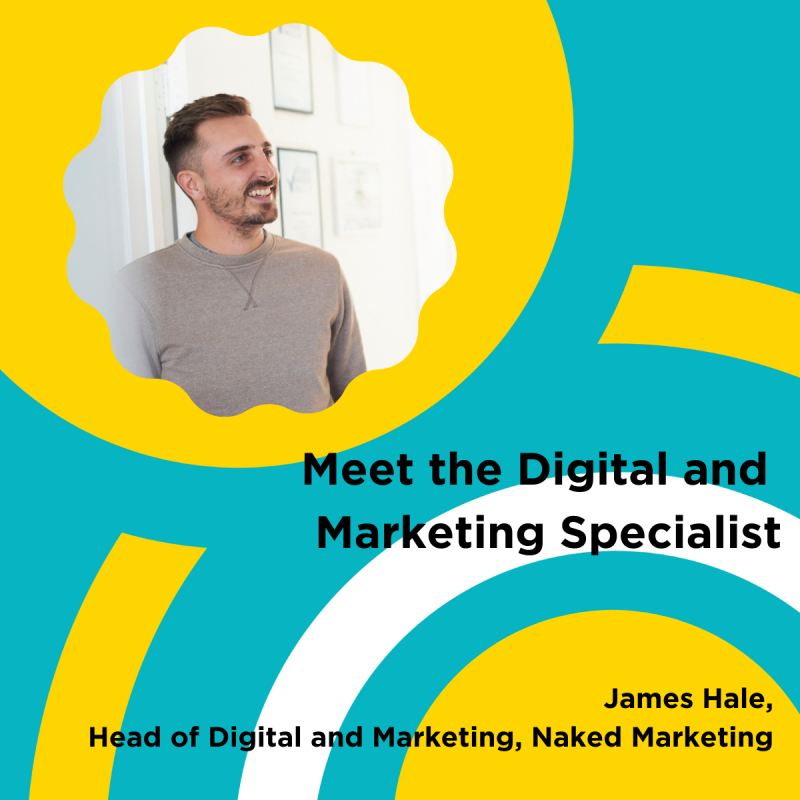
Meet the Digital and Marketing Specialist

James Hale, Head of Digital & Marketing, Naked Marketing

Head of Digital and Client Services

If anyone knows the importance of a cross channel approach it’s James. A man with a plan and a thorough understanding of both marketing and digital. James works closely with clients to ensure the success of their marketing plans, goals and strategies.  

Clients who get Naked will get noticed. After all, if your marketing doesn’t get noticed you’ll get nowhere. Money wasted – down the proverbial drain!

Our work is the thing we’re most proud of. See what we’ve done for a few of our clients.

Contact us

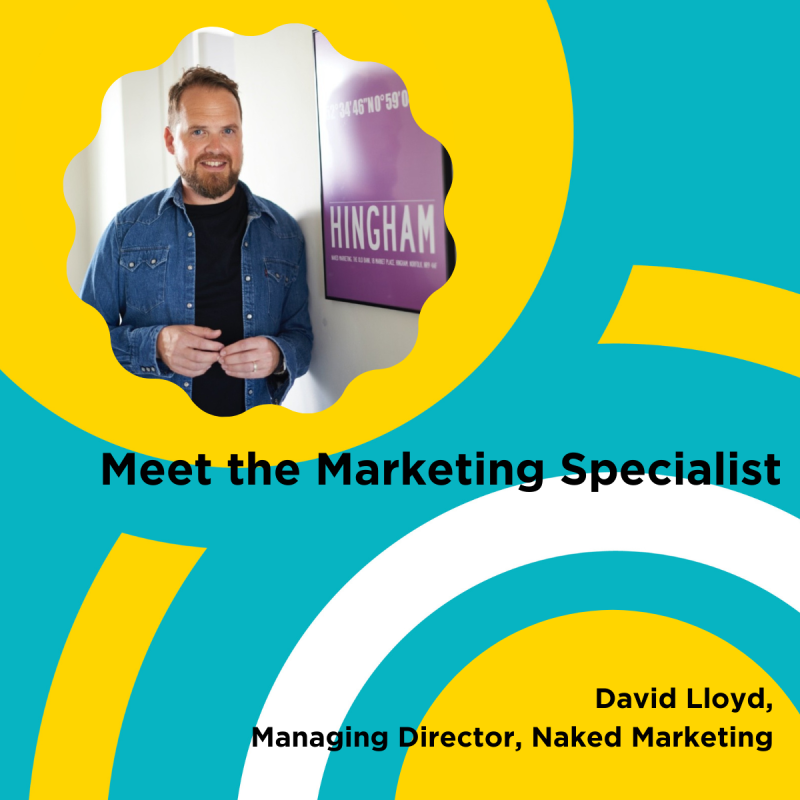
Meet the Marketing Specialist

David Lloyd, Naked Marketing

David Lloyd, Managing Director, Naked Marketing

With a whopping 20+ years’ experience in the creative industry Dave is a design powerhouse. On top of producing brief crushing work for clients of all shapes and sizes, Dave co-leads the Creative Team and manages the studio. Oh, and he’s our co-founder, without him we quite literally wouldn’t be Naked.

Clients who get Naked will get noticed. After all, if your marketing doesn’t get noticed you’ll get nowhere. Money wasted – down the proverbial drain!

Our work is the thing we’re most proud of. See what we’ve done for a few of our clients.

Contact us

Marketing – how to tap into the needs of your customers

Scream Blue Murder

Marketing – how to tap into the needs of your customers

It was my turn to make team drinks in the office today. We had one black decaf coffee, one regular black coffee and one tea with milk. All were different, made to the specific needs of each team member. I knew who drank what and how they liked their drink to be made.

That made me think about marketing. As businesses, do we need to know that level of detail about our customers? I’m not necessarily thinking about how they like their drinks, but what products or services do they need right now, and how do we use that information to shape our marketing?

Actually, knowing how your customer likes their tea is also important. Should they visit you, you can remember how to make their perfect cuppa! They will feel recognised and appreciated and not just like another customer.

Marketing – are you checking into your customer’s needs?

 A really useful blog by Hubspot identifies 16 of the most common types of customer needs. Whether you are a business that sells products or offers services, these 16 needs work together to drive customers to purchase from you rather than going to your competitor.

How many of these do you know for your customers?

1.     Functionality – does your product/service function in the way they need it to solve their problem?

2.     Price – does the cost of your product/service fall within their budget?

3.     Convenience – does your product/service provide a convenient solution for them?

4.     Experience – does your product/service provide a great user experience?

5.     Design – is the design of your product/service easy to use and intuitive?

6.     Reliability – is your product/service reliable, and does it function as advertised?

7.     Performance – does your product/service perform so the customer can achieve their goals?

8.     Efficiency – is your product/service efficient and not time-consuming?

9.     Compatibility – is your product/service compatible with what the customer is already using?

10.   Empathy – when your customer gets in touch with a problem, are you empathetic and understanding?

11.   Fairness – from your pricing to contracts and customer service, are you a fair company?

12.   Transparency – are your pricing changes, ethics, and processes for problem-solving transparent?

13.   Control – do your customers feel in control of their interaction with you from the start?

14.   Options – do you provide product/service options or payment options? Do you provide freedom of choice?

15.   Information – is there regular communication with your customers, so they feel they have all the information they need?

16.   Accessibility – can your customers access customer support when they need to?

Adapting our services based on need.

It’s the same with our services. Over time, our clients have asked us for x, y and z. We have now taken on board their feedback looked at our customer service data, and created design, website and marketing packages built around what they have been asking for. We can also create custom teams incorporating subject matter experts should our clients want a bit of a, b or c added in for good measure!

So, what has this got to do with making a cuppa? We listened to what they wanted and developed it for them…just like making a cup of tea. If you asked for decaf coffee and I made you tea with milk, would you drink it? As Steve Jobs notably stated, ‘You’ve got to start with the customer experience and work backwards to the technology.’ 

That’s what we do at Scream Blue Murder.

We don’t whisper your story. We Scream Blue Murder.

A design and marketing communications agency.

Scream Blue Murder

Virtual meetings – do they make us more or less punctual?

Scream Blue Murder

Virtual meetings – do they make us more or less punctual?

Before virtual meetings, remember when we had a meeting in our diary where we had to travel to meet someone? I dressed smartly to meet a potential new client or associate, allocating time in my diary to prep ahead of the meeting and travel to the location. The address was in my GPS, and off I headed. Time was precious, and I was keen to have a good conversation before heading to the next meeting. Arriving early was always part of my agenda, to prepare my thoughts, check my phone for any urgent messages, initiate airplane mode and then off I went…..

Then along came the Covid-19 pandemic and things became very different, increasingly baffled at how some people arrived late for a virtual meeting or had to leave early, not notifying the host ahead of time at the start. These were business meetings, after all!

I got used to checking my technology – could I hear and be heard? Did the lighting wash me out or leave me in the dark covered in shadows? I dressed for business, even though my choice of attire was a little more relaxed but still smart. I always checked I looked fresh and presentable, adding 10 minutes between calls to freshen up, take a comfort break and make a cuppa.

Hydration became more important as I was astounded at how thirsty I was! Furthermore, my one water bottle grew into two, always topped up to quench my thirst. Above all, my overall etiquette has not changed. I still arrived a few minutes early, joining the waiting room, clearing my mind and ready to tune in to new conversations. Just as important, my mobile is still set to airplane mode even though I haven’t even left the house! I feel it would appear rude to my meeting colleagues if it were set to anything else.

Our quick guide to virtual meetings

I surveyed everyone in the office to capture some of their Zoom practices before they hop on to calls.

·       Hydration! Hydration! Hydration!

o  A freshly made cuppa or water refill ready to go

·       Know your agenda

o  What is your meeting topic, outcomes and timescales?

·       Who are you?

o  Introduce yourself and ask others to do the same if you don’t know them.

·       I’m on mute!

o  Pop yourself on mute when you are not speaking, so you don’t accidentally interrupt someone

·       Lights, Camera….Test – before Action!

o  Does your camera, mic and internet work? Are you sitting in a good light? What is in your background? Do you need to tidy up?

·       Look the part

o  Dress well with a paired down version of what you would wear in an office

·       Stay in the moment

o  Focus on people and what is being said. Don’t be tempted to check your inbox, as we can all tell what you are doing!

·       Sign off well

o  Summarise the points of discussion, any actions and follow up with an email to all participants

·       Stretch!

o  Sitting still for too long is no good, so we stretch between meetings!

Zoom fatigue stats – did you know?

Here are just a few Zoom stats taken from the Finances Online review.

·       Zoom fatigue affects 14% of women vs 5.5% of men

·       A 1.2 second delay in a person’s response makes the other people perceive them to be unfriendly or unfocussed

·       The amount of eye gaze on Zoom is eight times higher compared to a physical conference

·       The platform has recorded over 45 billion annual webinar minutes

·       Videoconferencing requires less than 10% of the energy needed for an in-person meeting

We don’t whisper your story. We Scream Blue Murder.

A design and marketing communications agency.

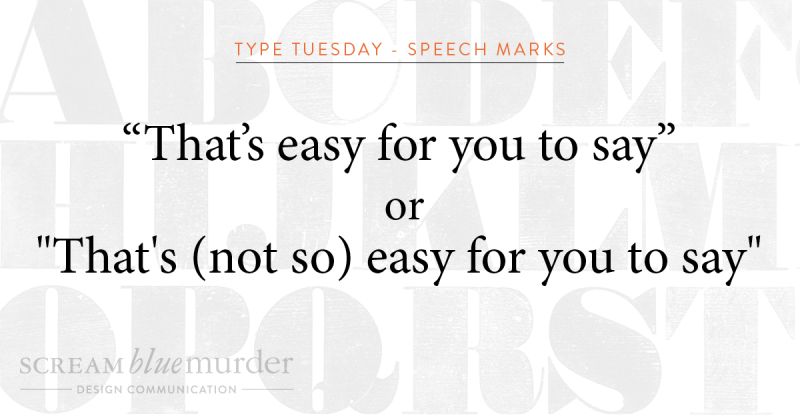
Typography Tuesday – Speech Marks

Scream Blue Murder

Welcome to Type Tuesday.

Straight or curly? Today we are talking about the use of straight quotes or curly quotes as used in typography.

Straight quotes or dumb quotes

Straight quotes are straight and vertical. Whether used as a single or double, they often indicate feet and inches and should never appear in documents unless they refer to these measurement units. Moreover, proper typography never uses this type of quote mark, and according to Typewolf, they are left over from the age of typewriters. When the typewriter was designed, the curly shape took up too much space, so instead, the quote marks were made straight.

Curly quotes or smart quotes

Curly quotes (also known as smart quotes) are often the typographers’ preferred mark of choice and are the ideal form of quotation marks and apostrophes. They are curved and will never point straight down unless part of the typeface design. Smart quotes make the text more legible on a page, creating more space, matching the other characters better, and, in fact, traditional printing still uses these quote marks.

How to turn smart quotes on

n writing this blog, I found that my curly quotes were already turned on, but if your PC or Mac is set to straight quotes, here are some instructions to turn them on.

In Word

1.     File

2.     Options

3.     Proofing

4.     AutoCorrect Options

5.     AutoFormat As You Type – check or uncheck the box ‘Straight Quotes with Smart Quotes.’

In Mac OS Word

1.     Word

2.     Preferences

3.     AutoCorrect

4.     AutoFormat As You Type – check or uncheck the box ‘Straight Quotation Marks with Smart Quotation Marks.’

In Adobe InDesign

1.     Preferences

2.     Type

3.     Check the box – ‘Use typographers quotes.’

So, now you know what to do. Are you going to change your straight quotes to curly ones?! 

We don’t whisper your story. We Scream Blue Murder.

A design and marketing communications agency.

Scream Blue Murder

Typography Tuesday – What is leading?

Scream Blue Murder

Welcome to Type Tuesday.

Many complex decisions around typography determine how the text looks on a page and ultimately affects the outcome of the design. Indeed, how often do you pay attention to the spaces between letters and words?

When looking at typography, good or bad spacing can make all the difference when reading a text accurately and efficiently. Get it right and create space on the page; the letters and words can breathe. As a result, the text is more appealing to read, being more attractive to your reader and kinder to their eyes.

What is leading?

Leading is the amount of space between lines of text. It is measured from baseline (the imaginary line on which a line of the text rests) to baseline. In our age of digital design, leading is also known as line spacing or line-height.

According to Shillington, leading is actually an old term. It is taken from the early days of printing and typesetting, where all typography was typeset by hand, using individual characters made of wood or metal. Lines of space were added between each line of text by strips of lead, giving the lines of text space to breathe – hence the term! Unfortunately, typesetting by hand is now a rare occurrence. Significantly fewer companies use those skills today (we are very lucky to have one on our doorstep), but the term remains.

How to use leading in your typography

To summarise, leading is one of the simplest tools to use to make your design look better.

  • If it’s too tight, the text will appear cramped with your readers squinting to read it.
  • Too open and the reader will get lost trying to navigate the large gaps between the letters and lose track of where they are in the sentence.

So, try to:

·       Use looser leading for body copy

·       Use tighter leading for headlines

·       Test different leading heights

 We don’t whisper your story. We Scream Blue Murder.

A design and marketing communications agency.

Scream Blue Murder

Typography Tuesday – What is a hyphen?

Scream Blue Murder

Welcome to Type Tuesday.

The use of dashes and hyphens is often inconsistent in writing. These typography elements are easy to find on a keyboard, but did you know that they are actually three different horizontal marks of different lengths and uses?

They are called the hyphen, en dash and em dash.

In fact, each has a different role and function from the other and, when used correctly, provide that extra bit of punctuation and sharpness to your text.

Typography: What is a hyphen?

Hyphens link words or indicate a break in a word at the end of a line. It is the shortest of the three marks and is used to combine words. It is used to connect numbers, like for a phone number, but does not indicate a range of numbers; this is the job of an en dash.

Hyphen examples include:

  • 444-654-896
  • It’s all about the hands-on experience of setting metal type.

Typography: What is an en dash?

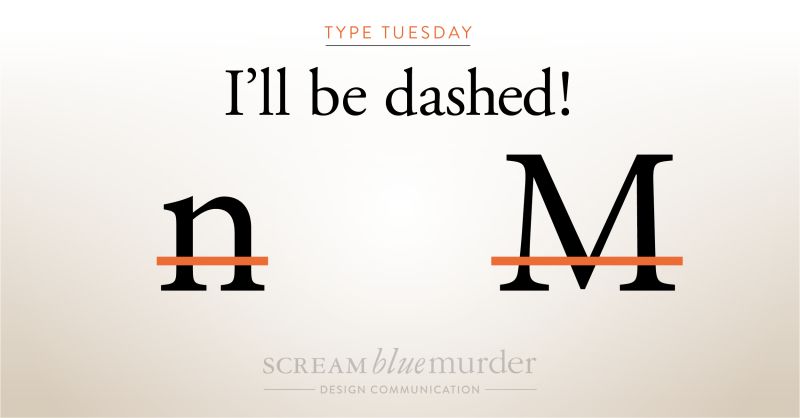
The en dash (approximately the width of a lowercase ‘n’) indicates a range of values or a connection between two things such as numbers, people or places. It is slightly longer than the hyphen but not as long as the em dash.

En dash examples include:

  • 1200-1400
  • The Edinburgh–London train is ready to depart.

Typography: What is an em dash?

The em dash (approximately the width of a capital ‘M’) marks an abrupt change of thought or a transition within a sentence. It is noticeably the longest of the three marks.

Em dash examples include:

  • I wish you’d —oh, never mind.
  • Ripe, juicy strawberries—such as the ‘Sparkle’ variety—are perfect for jam making.

According to ‘Type Matters’ by Jim Williams, they are also referred to as ‘nut dash’ and ‘mutton dash’ respectively.

For more detail, take a look at Punctuationmatters.com

We don’t whisper your story. We Scream Blue Murder.

A design and marketing communications agency.